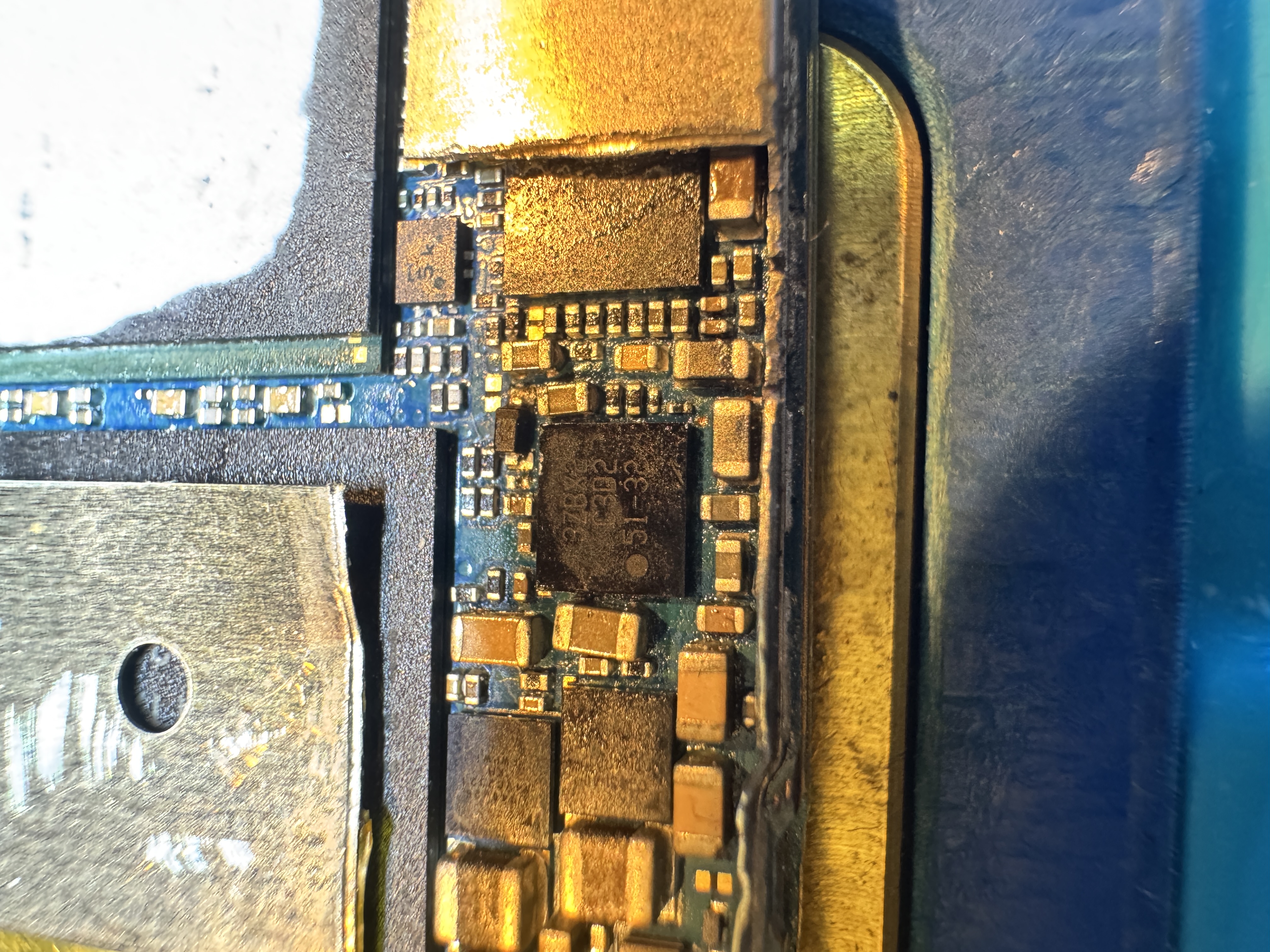
Category: Bez kategorii

  • iPhone 14 Pro — original battery replacement, diagnostics and configuration

    iPhone 14 Pro — original battery replacement, diagnostics and configuration

    From the workshop • iPhone 14 Pro

    Original battery replacement

    The customer reported rapid battery drain and poor battery health. Before installing the new part, I checked the phone’s current draw to rule out an additional fault in the power circuit.

    Symptoms and preparation

    Lithium-ion batteries are consumable components — their capacity and ability to deliver peak power decrease with age. In this iPhone 14 Pro, the customer noticed significantly shorter battery life and the need to charge the phone frequently.

    I opened the phone safely and removed the connector shield. The old battery was ready to be removed, but first I performed an electrical diagnosis of the device.

    Reported symptom

    Rapid discharge and reduced battery health.

    Diagnostics

    Current-draw test while switched off and during the startup sequence.

    Solution

    Installation of a genuine Apple battery, a new display seal and part configuration.
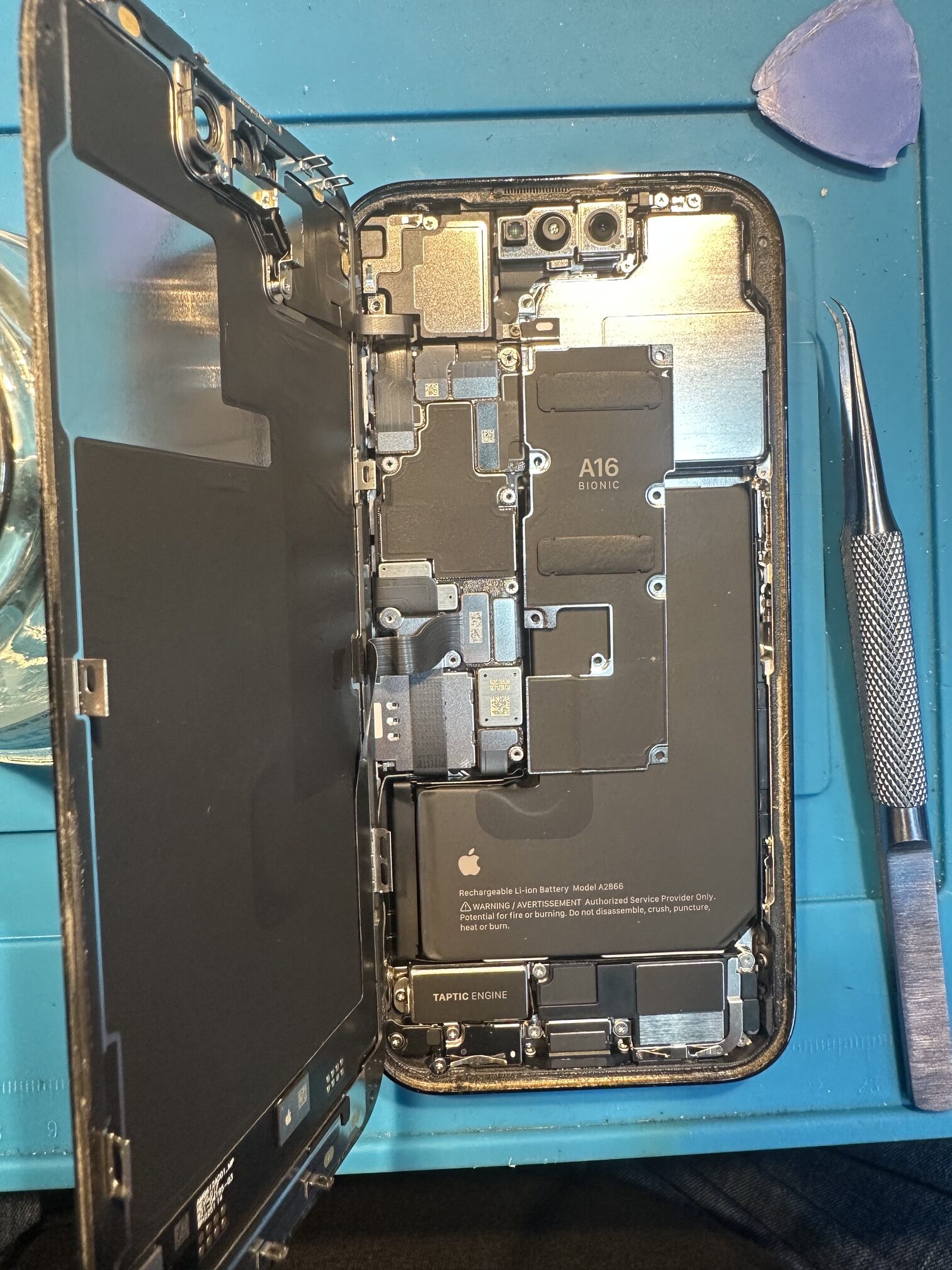
    Open iPhone 14 Pro with the old battery ready for removal
    1. Open iPhone 14 Pro — connector shield removed and the old battery prepared for removal.

    Rapid discharge does not always mean only a worn battery

    Similar symptoms can also be caused by other problems, including excessive current draw from the logic board or power circuit. Replacing the battery without checking the phone first might therefore fail to remove the true cause of the fault.

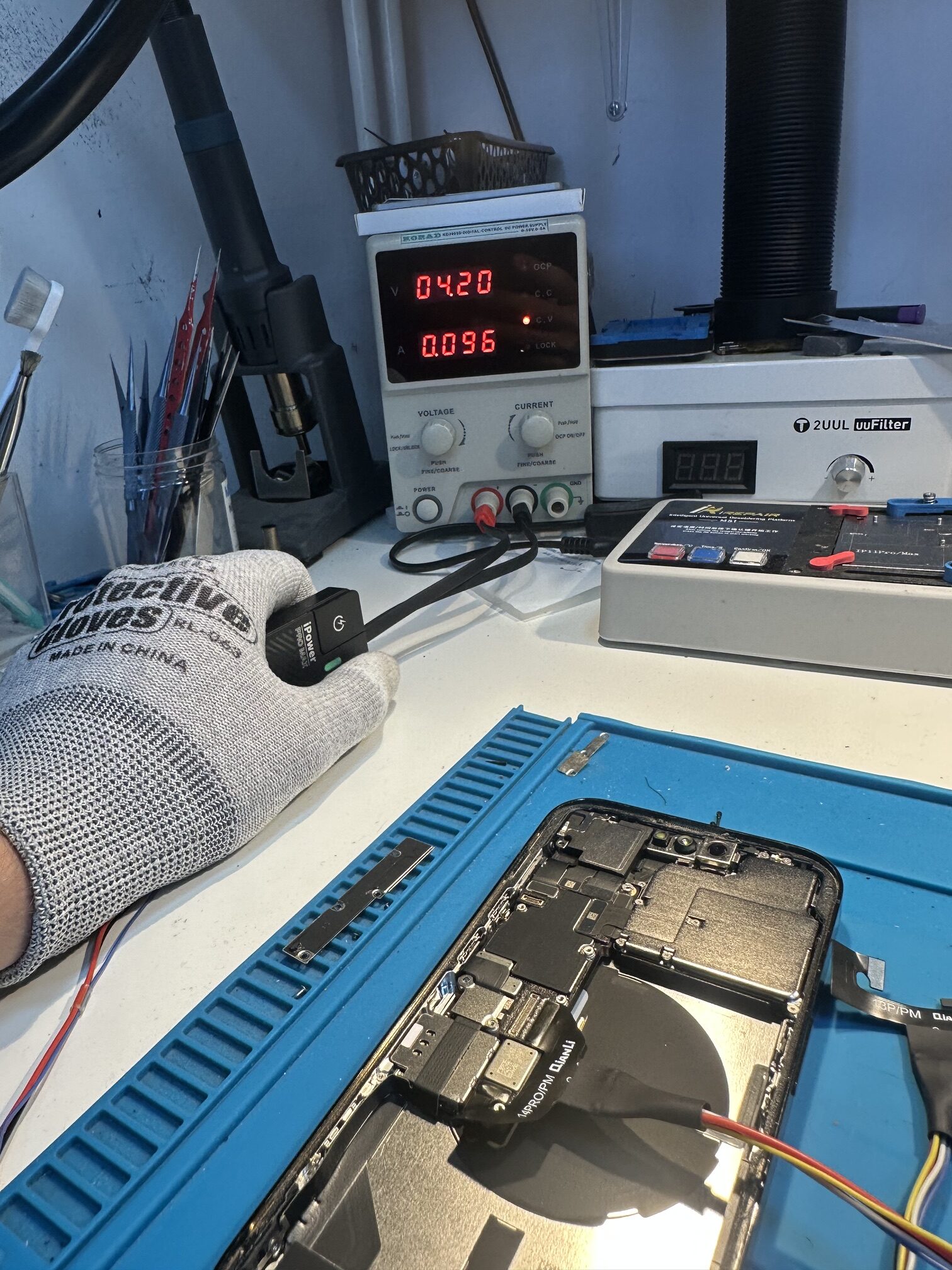
    That is why I connected the phone to a laboratory power supply before installing the new part. This measurement makes it possible to assess the device both while switched off and during startup.

    Current-draw diagnostics
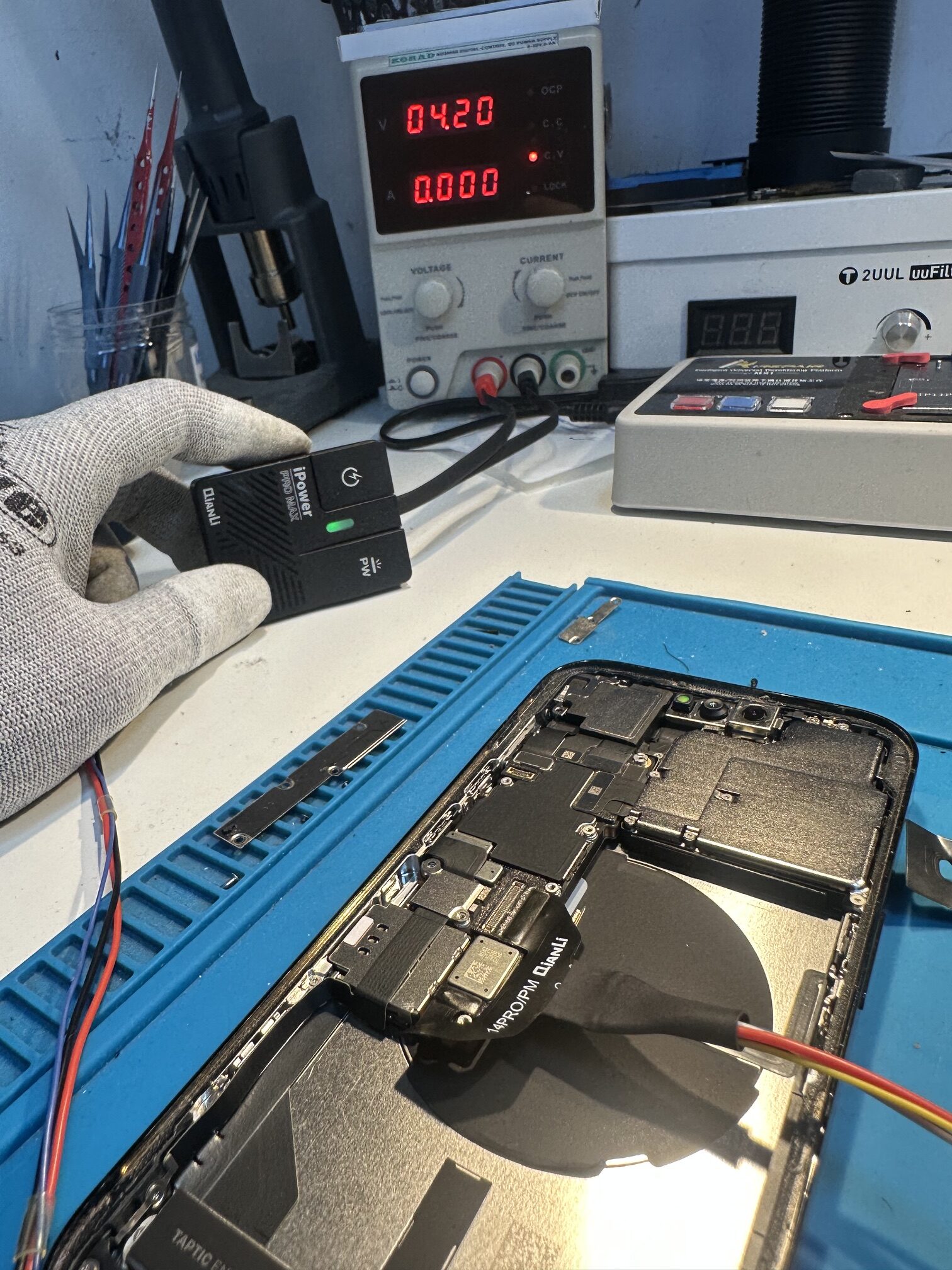
    The measurements were correct. I could therefore replace the battery with much greater confidence that its wear was responsible for the short operating time.

    Installing a genuine battery

    I removed the worn cell and installed a genuine Apple battery. Before closing the phone, I also fitted a new display seal and carefully prepared the housing surfaces.
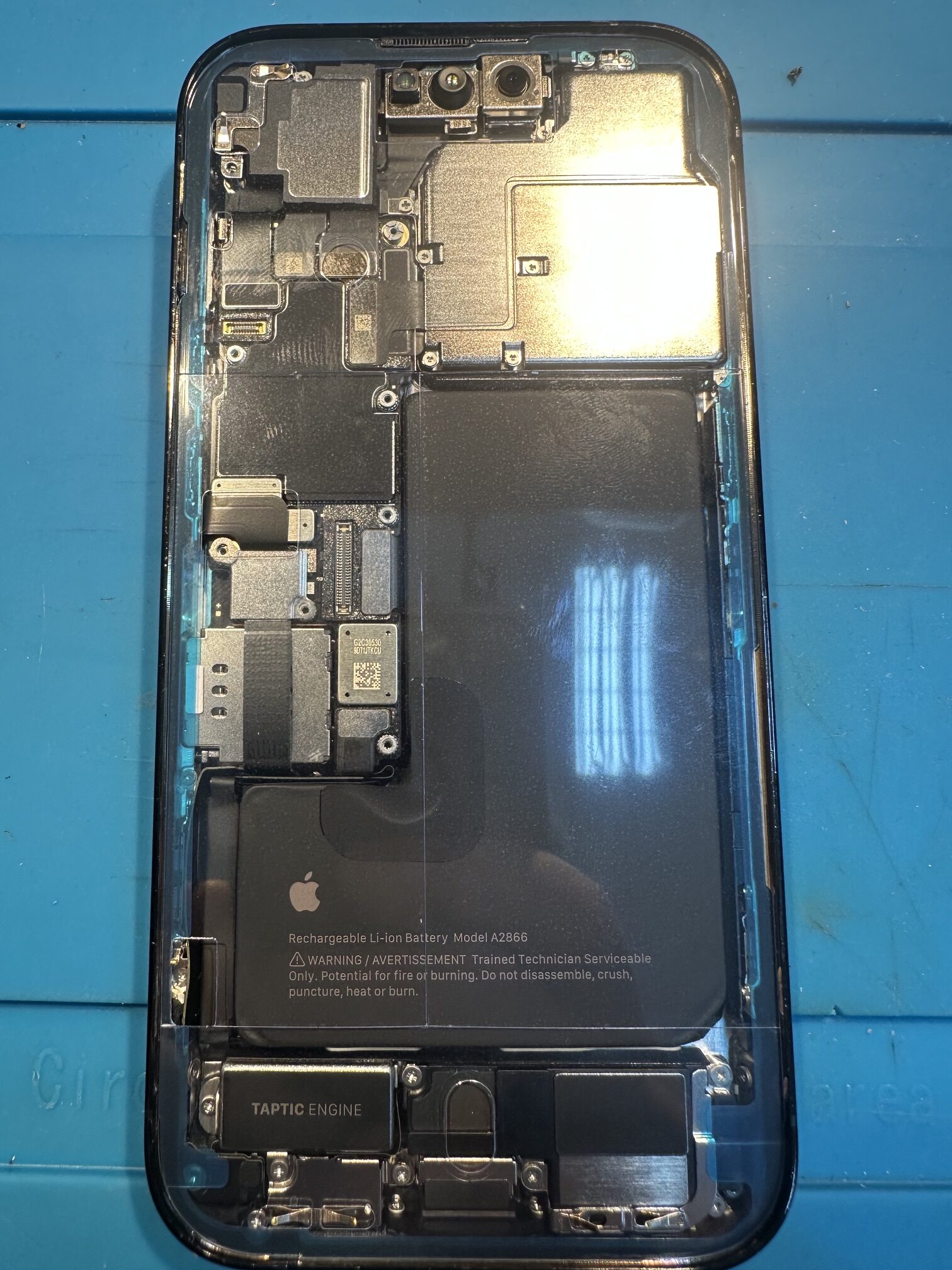
    Genuine new battery installed in an iPhone 14 Pro with a new display seal
    4. New genuine Apple battery and fresh display seal before final assembly.

    Important note about water resistance

    A new seal is essential for correct assembly, but opening the device does not automatically restore its original factory water-resistance rating. Resistance is not permanent and can decrease with age and previous use.
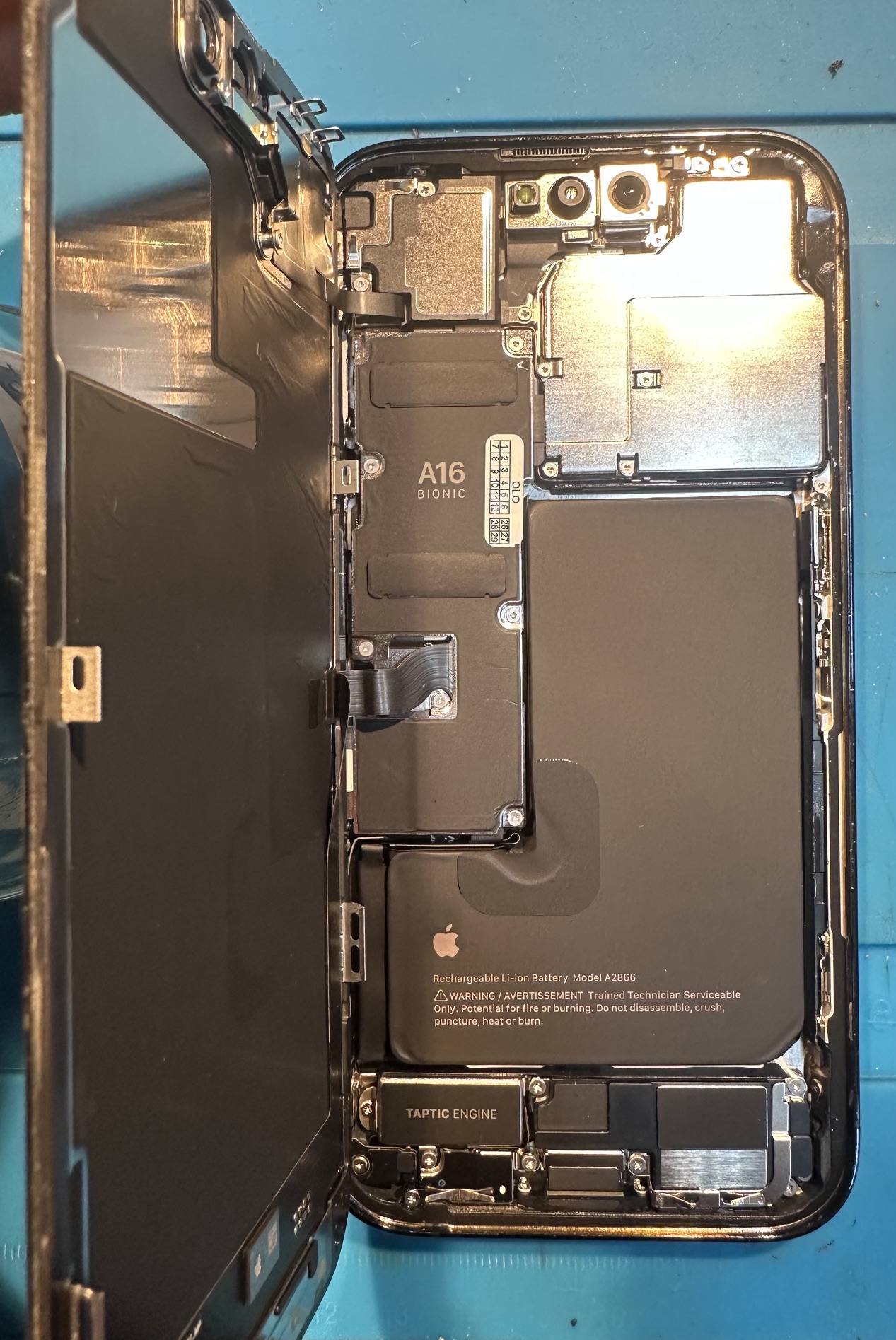
    iPhone 14 Pro with a new battery and connector shields before closing
    5. Phone ready to be closed — components connected and connector shields reinstalled.

    Configuration and calibration

    After installation, I completed configuration and calibration with Apple Repair Assistant. The system correctly recognised the component as a genuine part. The iPhone can therefore display battery information correctly, and the repair is recorded in the device’s Parts and Service History.
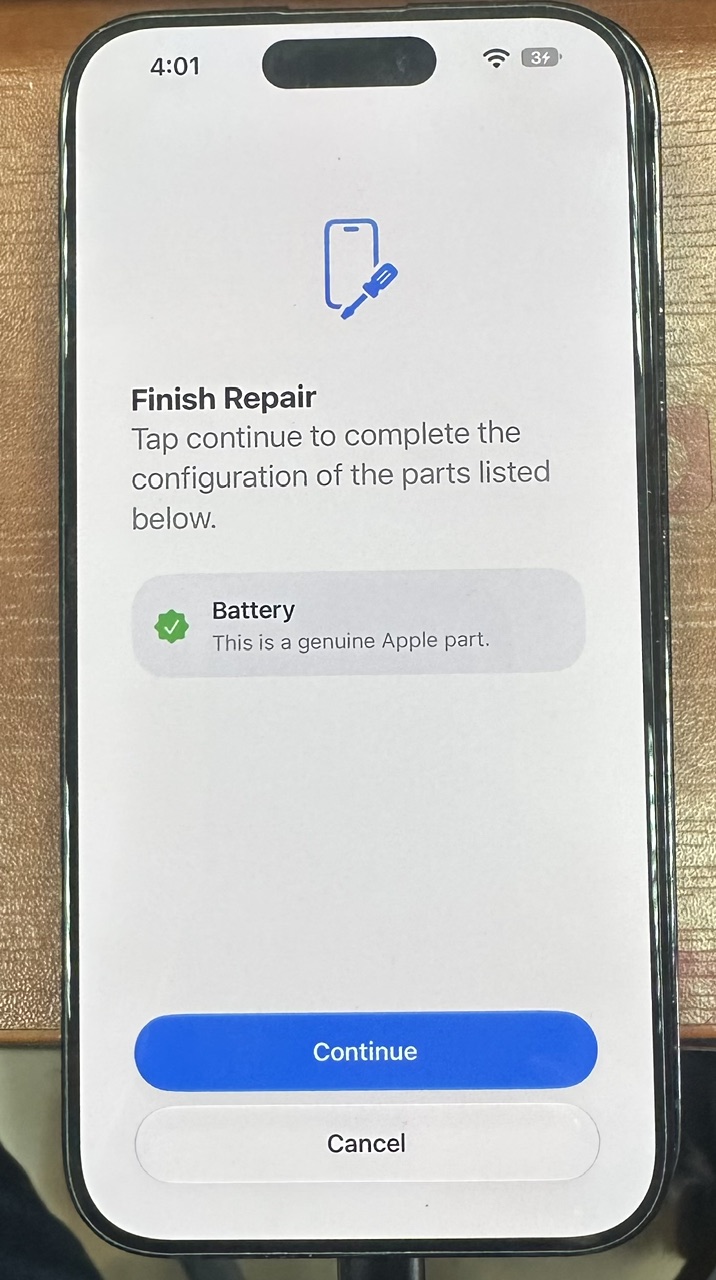
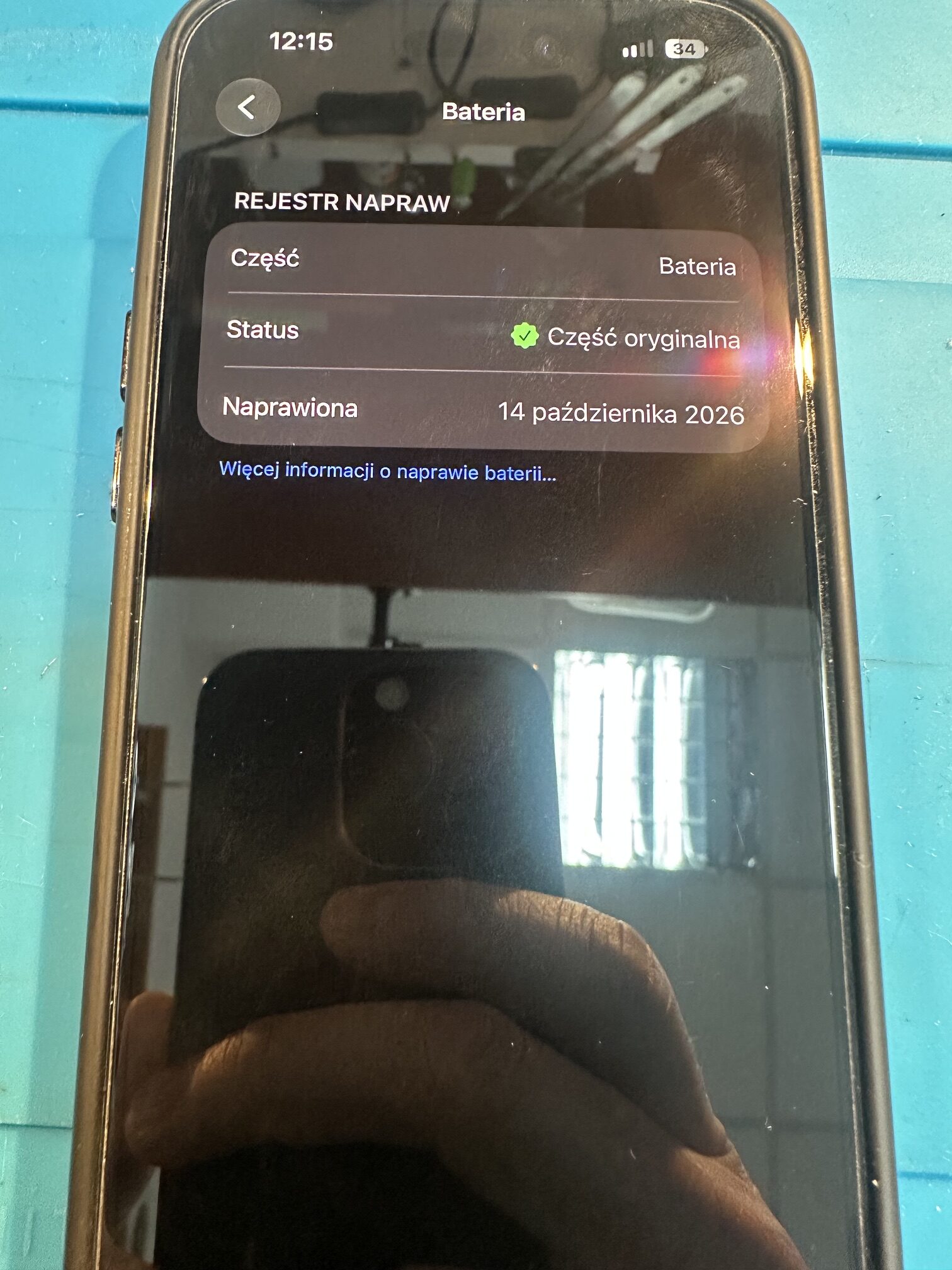
    Repair result

    • genuine Apple battery installed and configured correctly,
    • no abnormal current draw from the phone,
    • new display seal and correctly installed connector shields,
    • genuine-part status shown in Parts and Service History.

    Why begin with diagnostics?

    A professional battery replacement is more than exchanging one component for another. Measuring current draw helps avoid installing a new battery in a phone with an undetected fault. Safe disassembly, correct housing preparation, a new seal, final configuration and functional testing are equally important.

    Technical information: Apple — iPhone battery and performance • Apple — genuine batteries • Apple — Repair Assistant • Apple — Parts and Service History • Apple — water resistance.

    Does your iPhone drain quickly?

    I will check the device and recommend the right solution.
    Contact the service

    About the service

    I diagnose and repair smartphones, including complex logic-board faults. I value precision, clear terms and direct communication.

    Contact and opening hours

    536 888 333
    gsmchojnowska23@gmail.com
    Chojnowska 23, Legnica

    Monday, Wednesday, Friday: 9:30–17:00
    Tuesday, Thursday: 9:30–16:00

    © Serwis Telefonów Chojnowska 23. All rights reserved.
  • Ulefone Armor 26 Ultra after liquid damage — repair and an important warning

    Ulefone Armor 26 Ultra after liquid damage — repair and an important warning

    FROM THE WORKSHOP • LIQUID-DAMAGE REPAIR

    ULEFONE ARMOR 26 ULTRA AFTER LIQUID DAMAGE

    A phone advertised as rugged can still be seriously damaged by liquid. This case shows why IP68, IP69K and MIL‑STD‑810H markings should not be treated as a permanent guarantee of water resistance.

    RUGGED DOES NOT MEAN WATERPROOF FOREVER

    The manufacturer lists IP68, IP69K and MIL‑STD‑810H for the Ulefone Armor 26 Ultra. These markings describe results from specific tests under controlled conditions — not resistance to every liquid and every situation throughout the phone’s entire life.

    Seals and adhesives age. Drops, a twisted or deformed housing, temperature changes, dirt, worn port covers and previous opening can all reduce their effectiveness. Sea water, chlorinated or hot water, detergent and sweet drinks also behave differently because they leave conductive and often aggressive residue.

    IP68

    Protection during a specified immersion test. It does not mean unlimited water resistance.

    IP69K

    Resistance declared for a specific high-pressure, high-temperature water test.

    MIL‑STD‑810H

    A set of environmental test methods — not a general promise that the phone is indestructible.

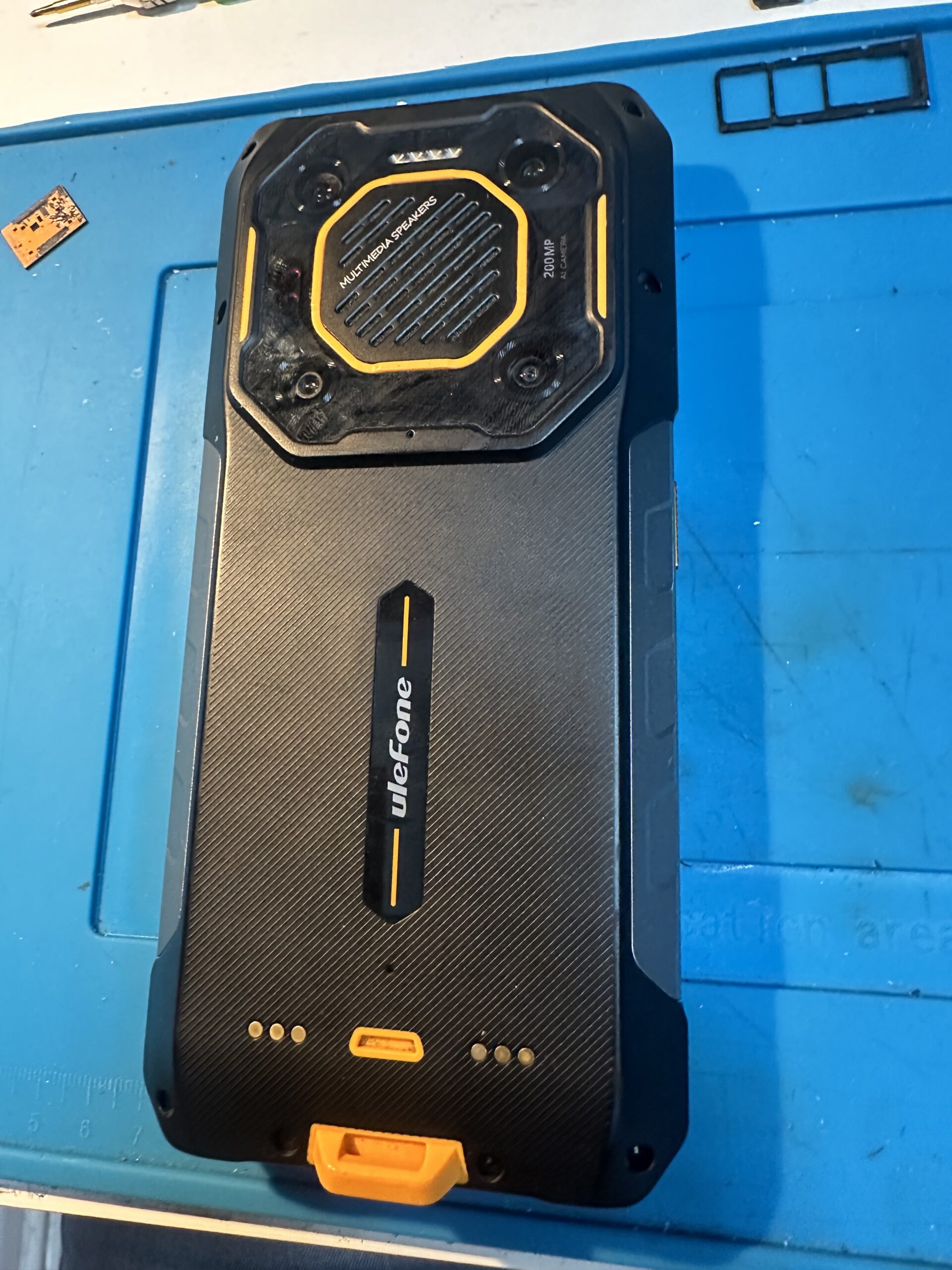
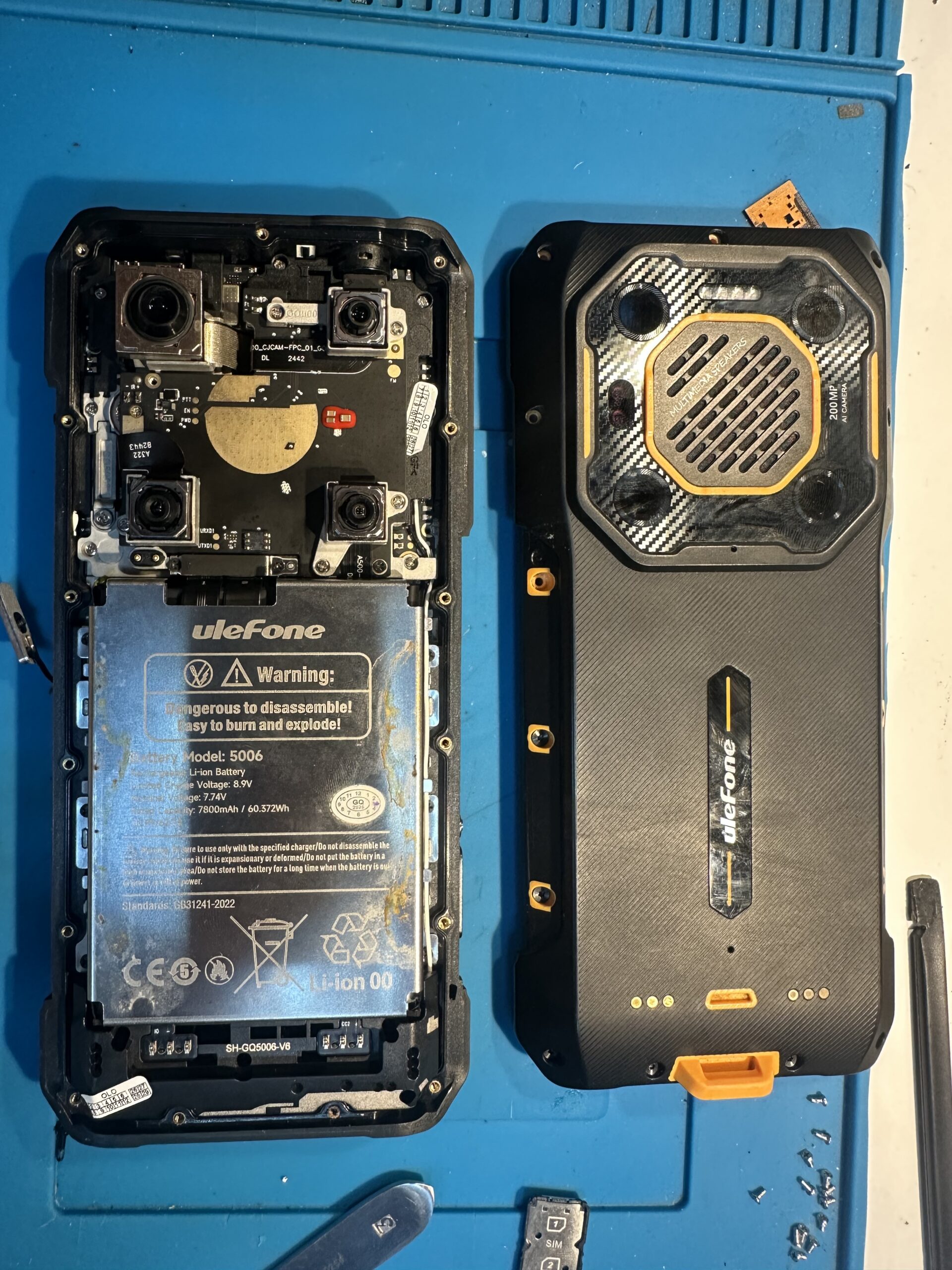
    Disassembled Ulefone Armor 26 Ultra with the rear cover removed during liquid-damage diagnostics
    Ulefone Armor 26 Ultra after disassembly — the rear cover separated from the phone body.

    WHAT DID I FIND AFTER OPENING THE PHONE?

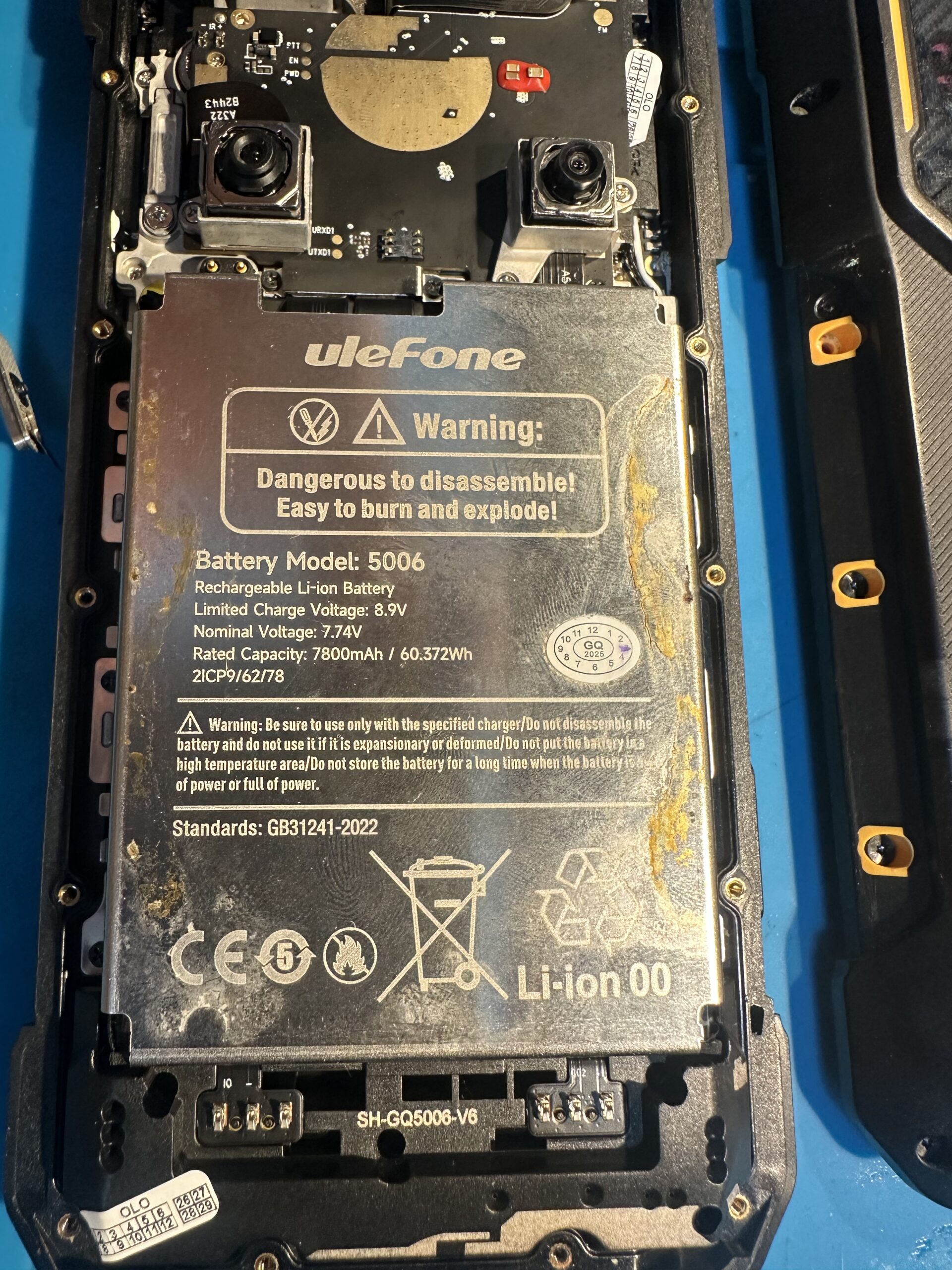
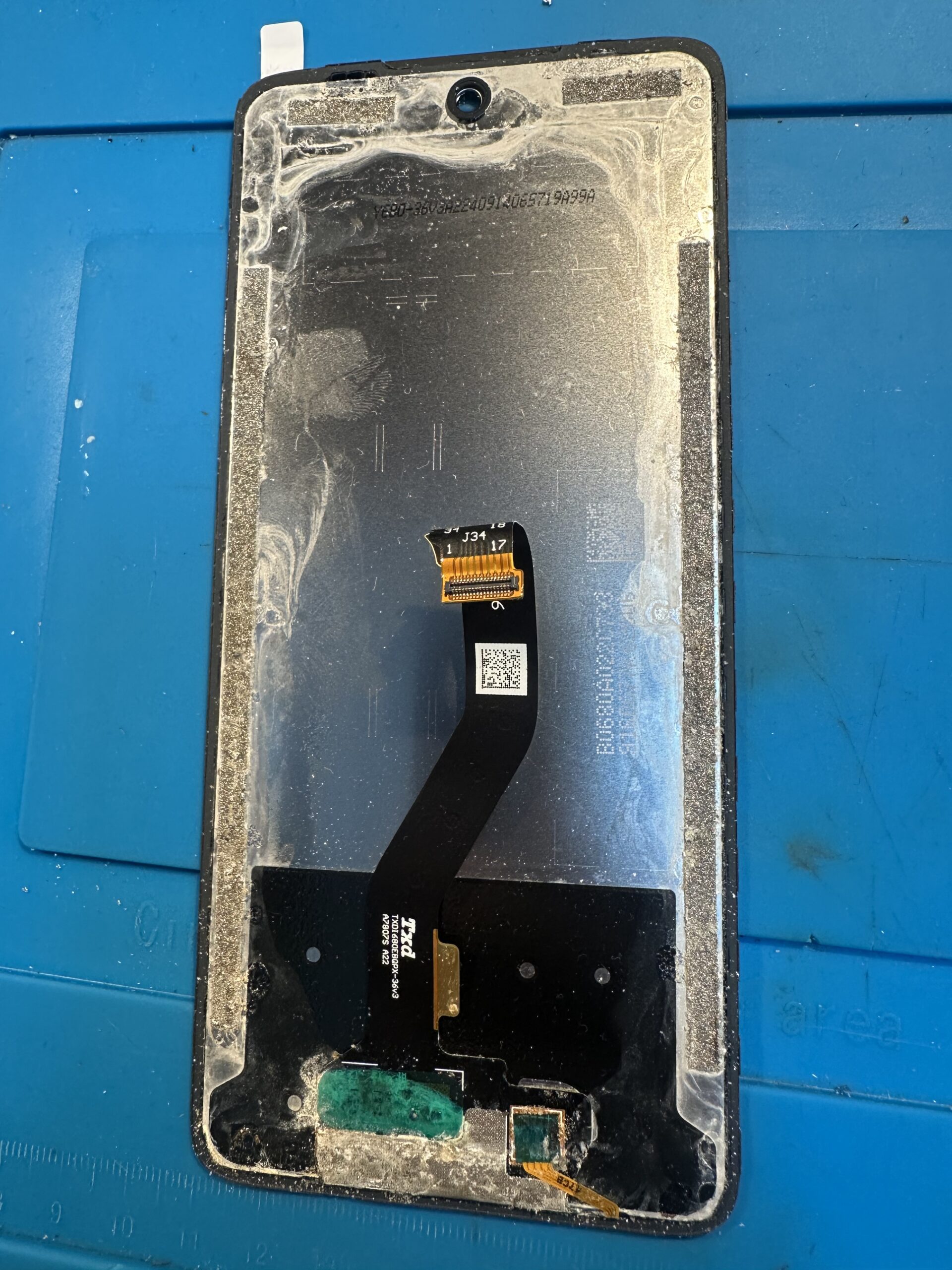
    Traces of liquid were visible not only near the rear cover. Deposits and early corrosion appeared around the battery and other internal parts, while moisture had also reached beneath the display module. The damage was therefore not limited to the outside of the housing.

    Liquid residue and corrosion on the battery and inside a Ulefone Armor 26 Ultra
    Liquid residue and corrosion beneath the battery cover.
    Liquid residue beneath the display module of a Ulefone Armor 26 Ultra
    Moisture and deposits also reached beneath the display module.

    DO NOT CONNECT A CHARGER AFTER LIQUID EXPOSURE

    THE MOST IMPORTANT RULE

    Do not connect a wet phone to a charger, power bank or computer USB port. Do not try to check whether it “still works”.

    Liquid inside a phone usually contains minerals, salts or other contamination, so it can conduct electricity. Applying power can create uncontrolled connections between points that should remain isolated. This may cause a short circuit, damage the charging connector or charging IC, burn logic-board tracks, overheat the battery and lead to data loss.

    Current flowing through a damp interior also accelerates electrochemical reactions. Electrolysis and corrosion can quickly enlarge the damaged area. A phone that might initially have been saved by cleaning can require extensive logic-board repair after several charging attempts.

    WHAT SHOULD YOU DO IMMEDIATELY?

    1. Disconnect the cable and all accessories immediately. If it is safe, switch the phone off.
    2. Do not switch it on again and do not use wired or wireless charging.
    3. Dry only the outside. Do not use a hair dryer, heater, oven or rice.
    4. Bring the phone in for diagnostics as soon as possible and say what liquid it contacted and whether anyone tried to charge it.

    Sea water, pool water, drinks and liquids containing sugar or detergent require especially quick action. Their residue can be more harmful than moisture itself.

    REPAIR RESULT

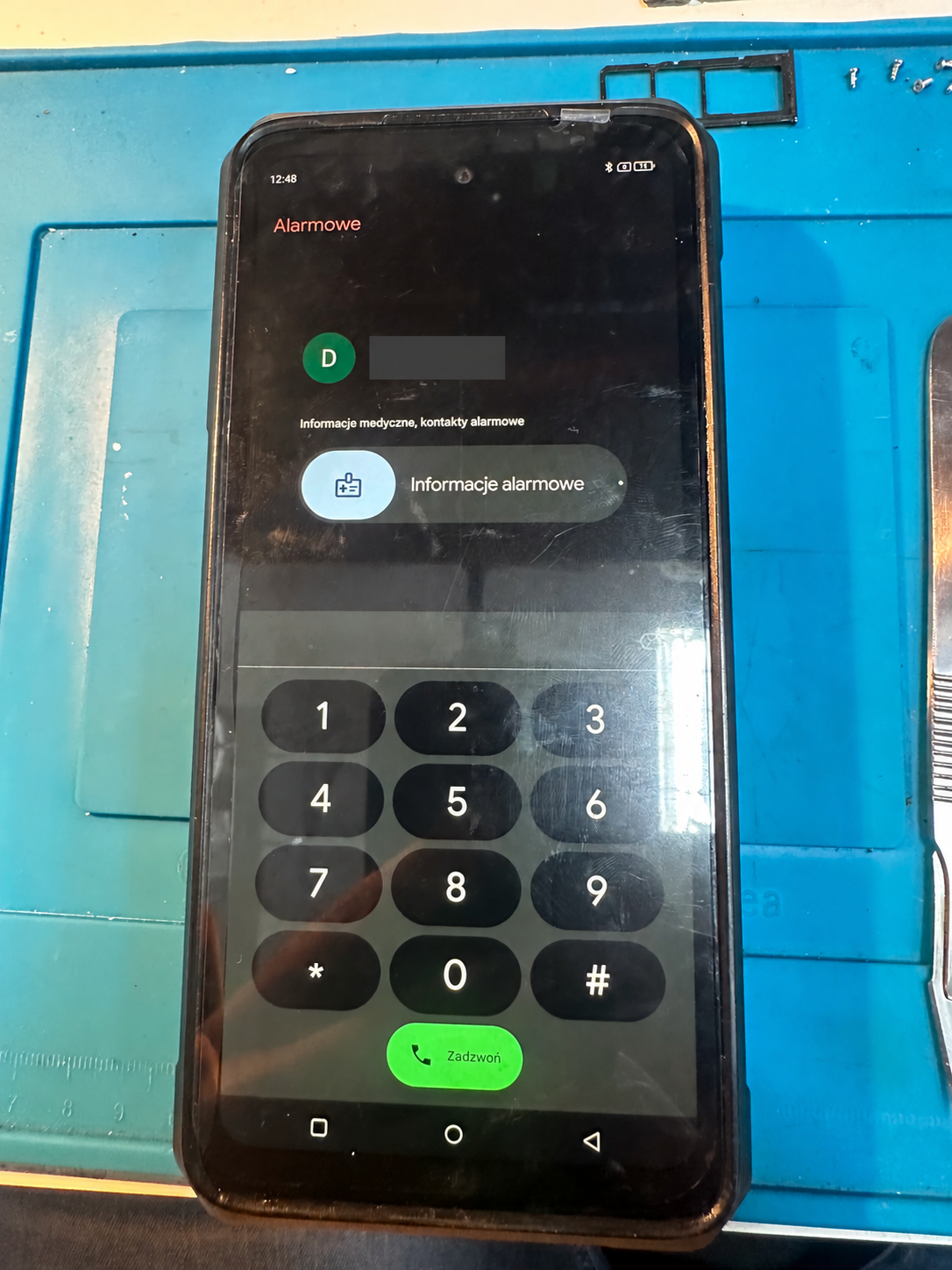
    After opening the phone, disconnecting its power, removing the effects of the liquid and carrying out the necessary work, the device started again. A display and basic-function test confirmed the result of the repair.

    Working Ulefone Armor 26 Ultra viewed from the front after liquid-damage repair
    The phone after repair — working display and operating system.
    Rear of a Ulefone Armor 26 Ultra after liquid-damage repair
    Ulefone Armor 26 Ultra after the repair — rear view.

    After a repair, do not automatically assume that the original factory water resistance has been restored. Without testing according to the appropriate procedure, the device should be treated as not waterproof and protected from further liquid exposure.

    HOW TO PROTECT EVEN A “RUGGED” PHONE

    Do not deliberately immerse it, check the condition of port covers, avoid steam and hot water, and assume that water resistance may have deteriorated after a drop or previous repair. A reinforced design improves the chance of surviving difficult conditions, but it never removes the risk completely.

    Information on the declared resistance and its limits: official Ulefone Armor 26 Ultra page. MIL‑STD‑810H as a standard of test methods: official US Department of Defense document catalogue.

    HAS YOUR PHONE COME INTO CONTACT WITH LIQUID? DO NOT CHARGE IT.

    CONTACT THE SERVICE

    About the service

    I diagnose and repair smartphones, including complex logic-board faults. I value precision, clear terms and direct communication.

    Contact and opening hours

    536 888 333
    gsmchojnowska23@gmail.com
    Chojnowska 23, Legnica

    Monday, Wednesday, Friday: 9:30–17:00
    Tuesday, Thursday: 9:30–16:00

    © Serwis Telefonów Chojnowska 23. All rights reserved.
  • Samsung Galaxy S22 — Power IC replacement

    Samsung Galaxy S22 — Power IC replacement

    FROM THE WORKSHOP • LOGIC-BOARD REPAIR

    SAMSUNG GALAXY S22 — POWER IC REPLACEMENT

    An example of an advanced logic-board repair requiring precise BGA work and careful thermal diagnosis.

    SYMPTOMS AND DIAGNOSIS

    The fault presented as a complete lack of wired charging, while wireless charging continued to work. The main flex cable and charging connector were the first suspects, but replacing them did not solve the problem.

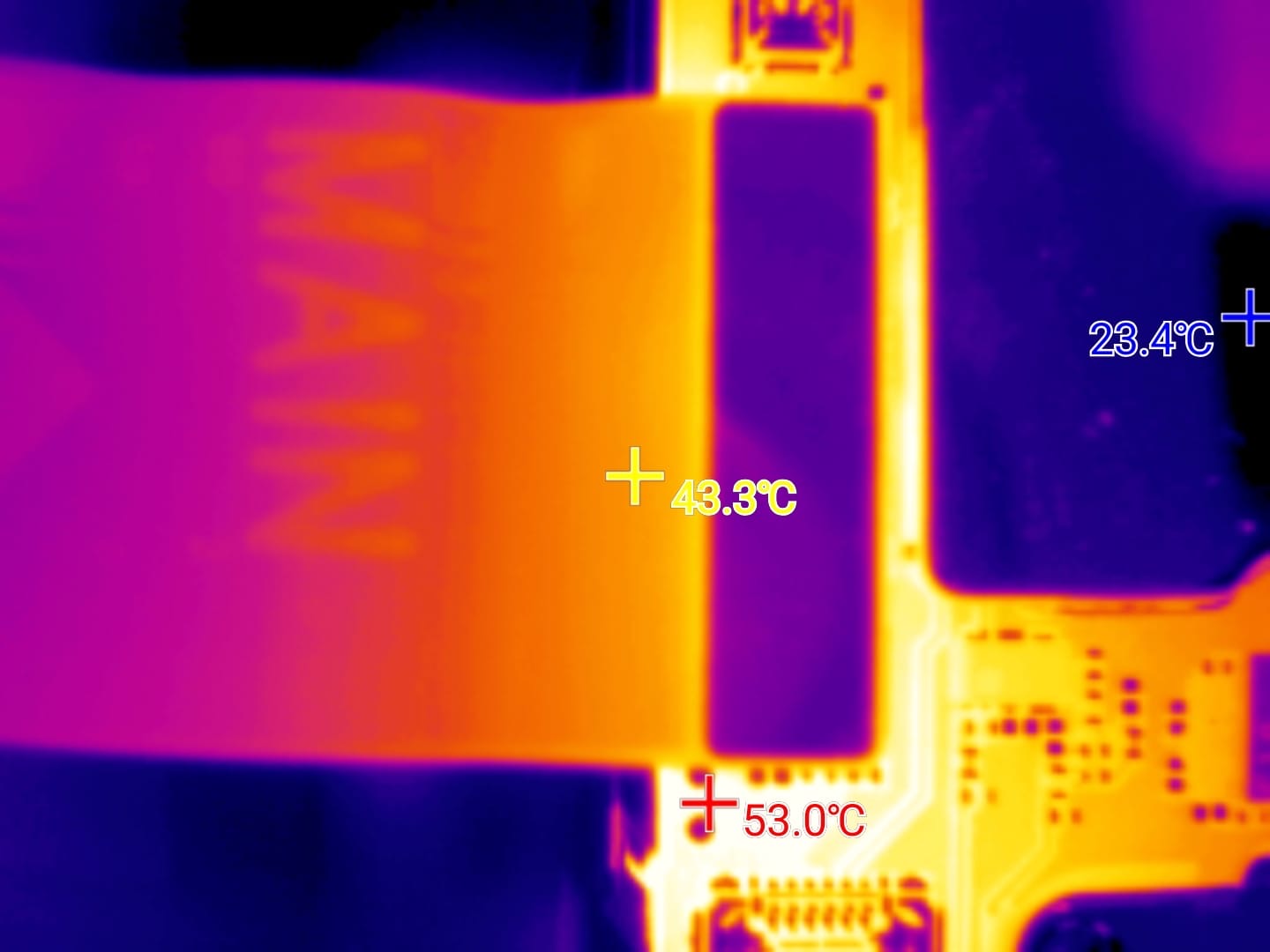
    I then removed the logic board and examined it with a thermal camera. The image revealed a short circuit and one component heating much more strongly than its surroundings. This was the component that required replacement.

    Thermal-camera image during diagnosis of a Samsung Galaxy S22
    Thermal-camera view — the overheating area reaches approximately 53°C and indicates the location of the short circuit.

    WHAT CAUSED THE FAILURE?

    In this particular case, the diagnosis pointed to a poor-quality charger and cable as the cause of the Power IC failure. Unstable power parameters, electrical interference and excessive heat at the connection may place additional stress on the power-management circuit and eventually damage it.

    This does not mean that every inexpensive charger will damage a phone — price alone is not the deciding factor. Compliance with the relevant standard, real protection circuitry and build quality matter. A genuine or certified charger from a reputable manufacturer communicates correctly with the phone and provides protection against overload, overheating and short circuits.

    WHY IS IT WORTH SPENDING A LITTLE MORE?

    For the Galaxy S22, choose a charger compatible with USB Power Delivery and preferably PPS, together with a USB‑C cable rated for the required power. A good cable has solid connectors and lower resistance, so it produces less voltage drop and heat. Replace any loose, damaged or noticeably hot cable. A reliable charging set costs far less than logic-board repair or the loss of important data.

    WHAT DID THE ACTUAL REPAIR INVOLVE?

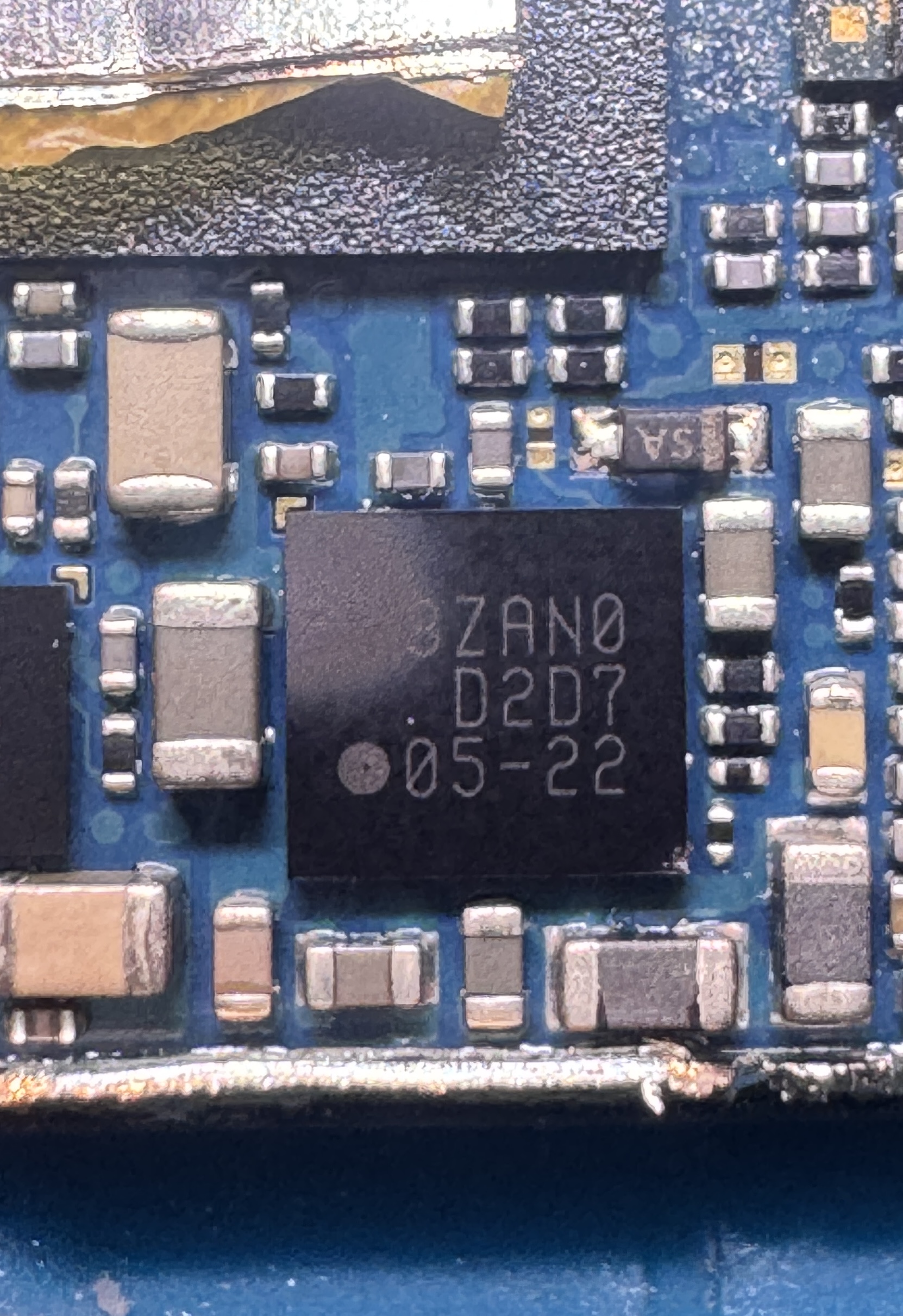
    This Samsung Galaxy S22 required replacement of the Power IC, one of the components responsible for managing power inside the device. The work is performed directly on the logic board and requires suitable equipment, experience and precise temperature control.

    Power IC on a Samsung Galaxy S22 logic board before removal
    The Power IC before the actual repair began.

    WORK PROCESS

    STAGE 1

    Protecting nearby components and preparing the board for removal of the IC.

    STAGE 2

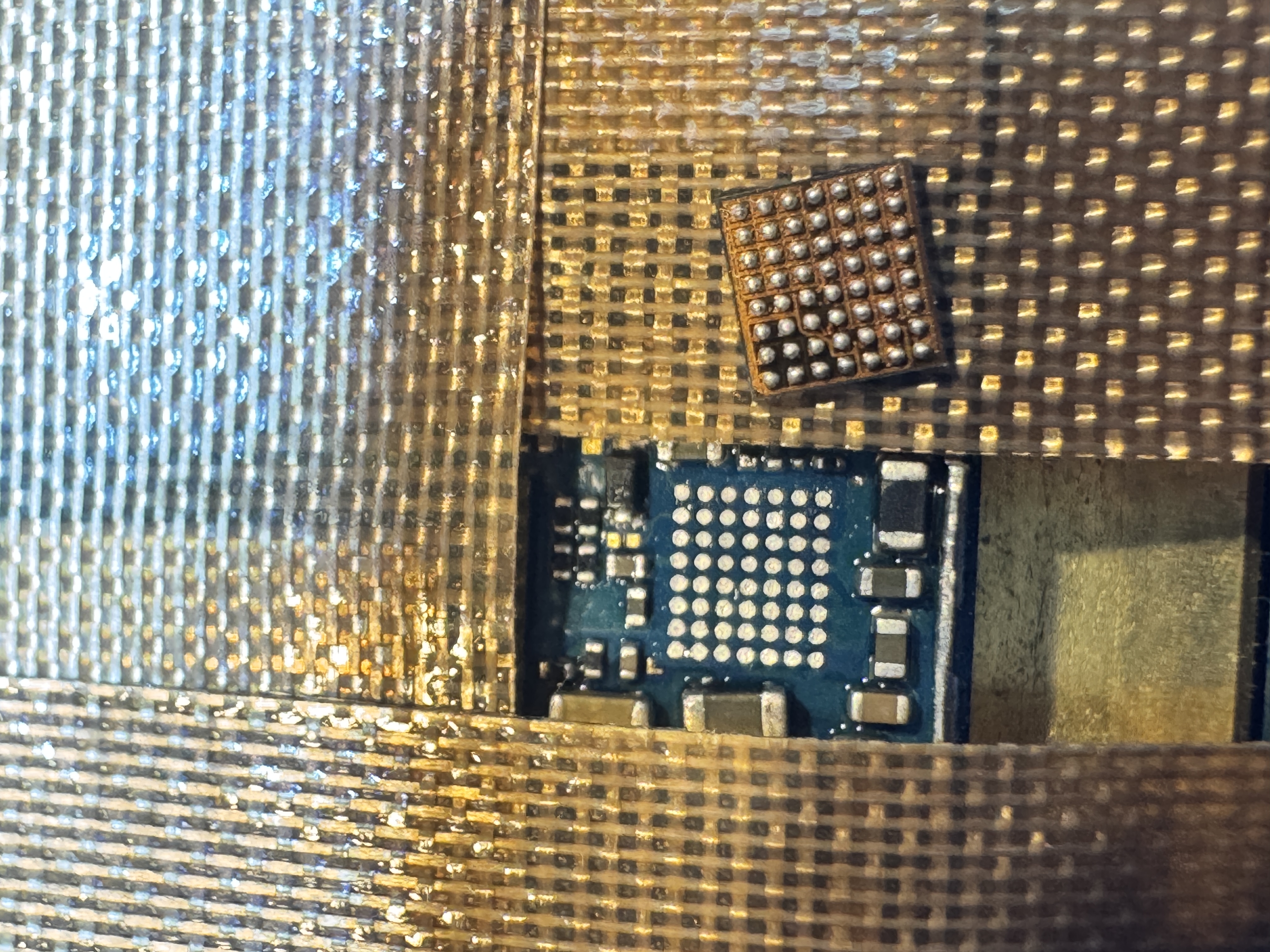
    Removing the damaged component and carefully preparing the solder pads.

    STAGE 3

    Installing a working IC, inspecting the connections and testing the device.

    Samsung Galaxy S22 solder pads after Power IC removal
    Solder pads prepared for installation of the replacement IC.
    Power IC installed on a Samsung Galaxy S22 logic board
    The IC after installation on the logic board.

    WHY DOES PRECISION MATTER?

    Components on modern logic boards are extremely small and positioned very close together. Incorrect temperature or accidental movement of a neighbouring component can cause additional damage. I therefore carry out this type of repair under a microscope using equipment designed for microsoldering.

    Every case requires its own diagnosis. Similar symptoms may have different causes, so I determine the possibility and cost of repair only after checking the specific device.

    DOES YOUR PHONE FAIL TO START OR HAVE A POWER PROBLEM?

    CONTACT THE SERVICE

    About the service

    I diagnose and repair smartphones, including complex logic-board faults. I value precision, clear terms and direct communication.

    Contact and opening hours

    536 888 333
    gsmchojnowska23@gmail.com
    Chojnowska 23, Legnica

    Monday, Wednesday, Friday: 9:30–17:00
    Tuesday, Thursday: 9:30–16:00

    © Serwis Telefonów Chojnowska 23. All rights reserved.