
ULEFONE ARMOR 26 ULTRA AFTER LIQUID DAMAGE
RUGGED DOES NOT MEAN WATERPROOF FOREVER
The manufacturer lists IP68, IP69K and MIL‑STD‑810H for the Ulefone Armor 26 Ultra. These markings describe results from specific tests under controlled conditions — not resistance to every liquid and every situation throughout the phone’s entire life.
Seals and adhesives age. Drops, a twisted or deformed housing, temperature changes, dirt, worn port covers and previous opening can all reduce their effectiveness. Sea water, chlorinated or hot water, detergent and sweet drinks also behave differently because they leave conductive and often aggressive residue.
IP68
Protection during a specified immersion test. It does not mean unlimited water resistance.
IP69K
Resistance declared for a specific high-pressure, high-temperature water test.
MIL‑STD‑810H
A set of environmental test methods — not a general promise that the phone is indestructible.
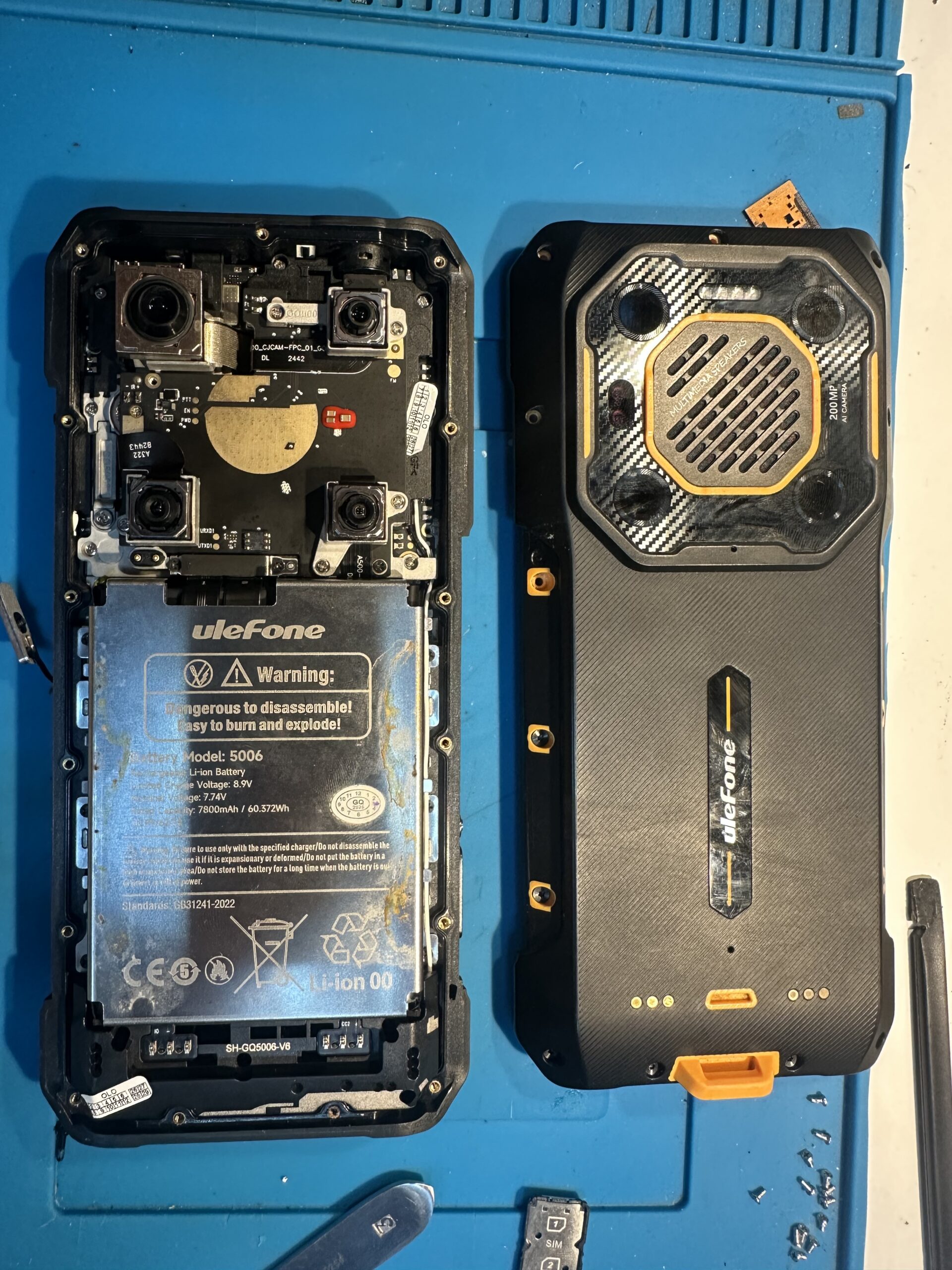
WHAT DID I FIND AFTER OPENING THE PHONE?
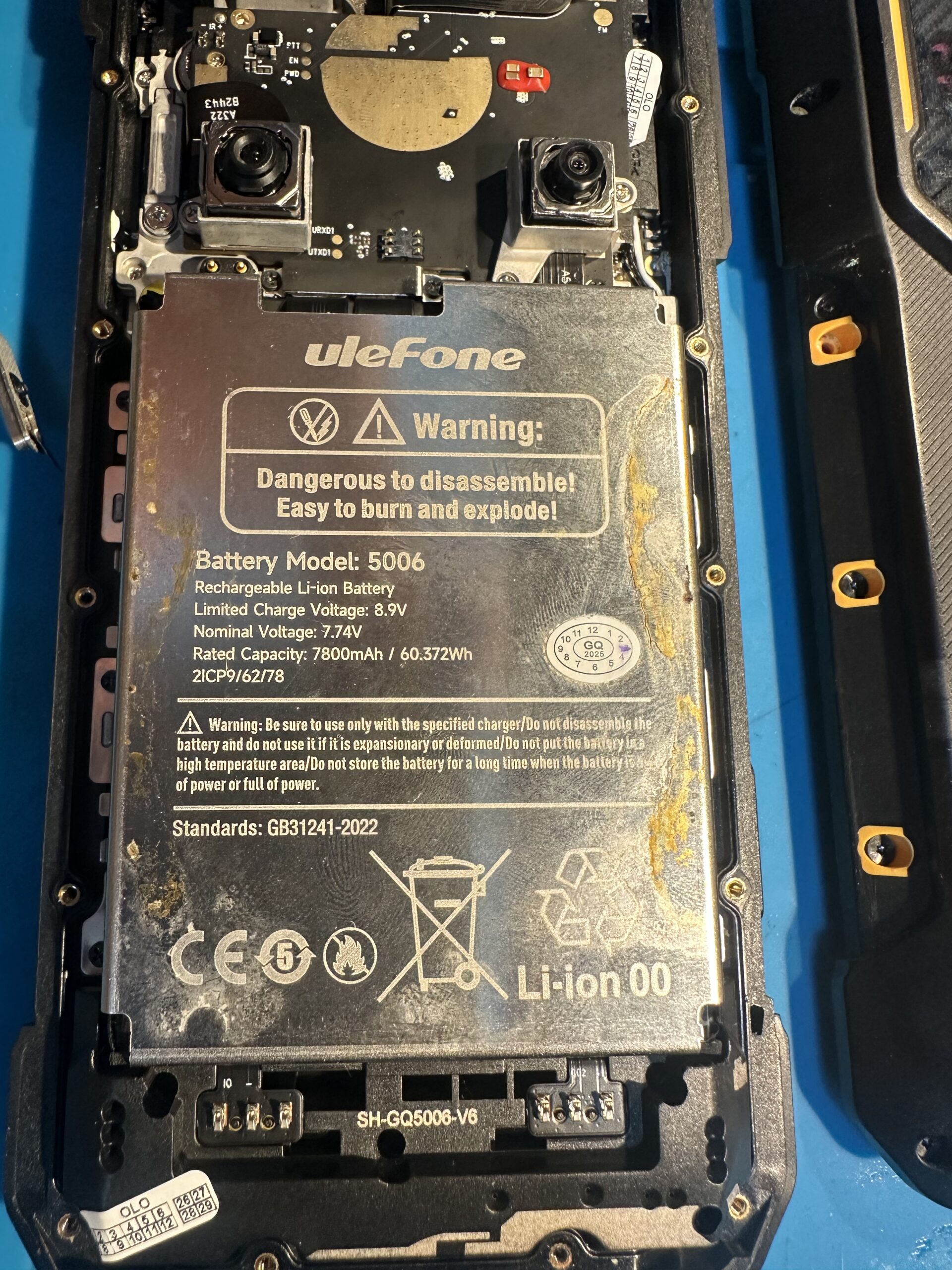
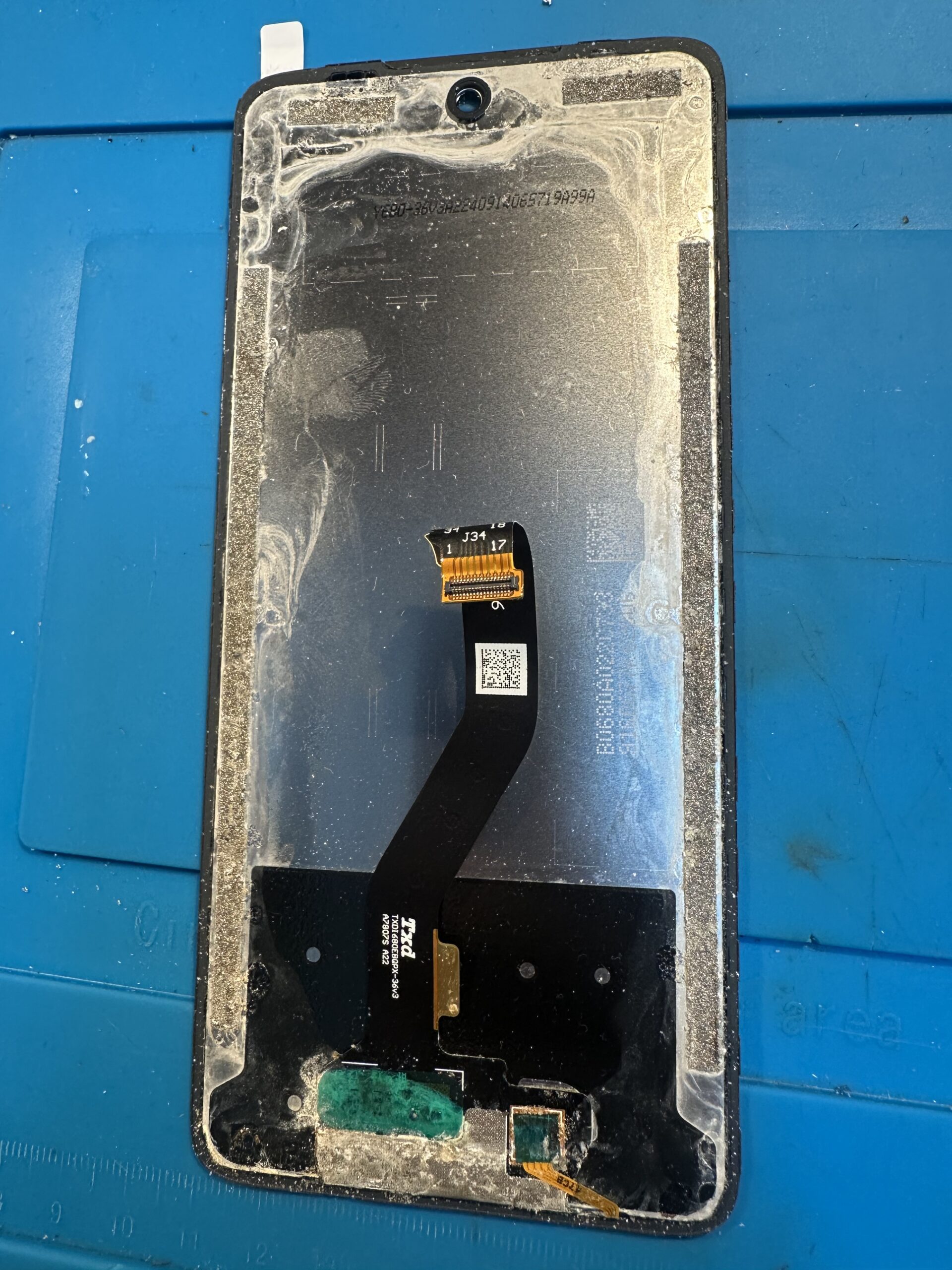
Traces of liquid were visible not only near the rear cover. Deposits and early corrosion appeared around the battery and other internal parts, while moisture had also reached beneath the display module. The damage was therefore not limited to the outside of the housing.
DO NOT CONNECT A CHARGER AFTER LIQUID EXPOSURE
THE MOST IMPORTANT RULE
Do not connect a wet phone to a charger, power bank or computer USB port. Do not try to check whether it “still works”.
Liquid inside a phone usually contains minerals, salts or other contamination, so it can conduct electricity. Applying power can create uncontrolled connections between points that should remain isolated. This may cause a short circuit, damage the charging connector or charging IC, burn logic-board tracks, overheat the battery and lead to data loss.
Current flowing through a damp interior also accelerates electrochemical reactions. Electrolysis and corrosion can quickly enlarge the damaged area. A phone that might initially have been saved by cleaning can require extensive logic-board repair after several charging attempts.
WHAT SHOULD YOU DO IMMEDIATELY?
- Disconnect the cable and all accessories immediately. If it is safe, switch the phone off.
- Do not switch it on again and do not use wired or wireless charging.
- Dry only the outside. Do not use a hair dryer, heater, oven or rice.
- Bring the phone in for diagnostics as soon as possible and say what liquid it contacted and whether anyone tried to charge it.
Sea water, pool water, drinks and liquids containing sugar or detergent require especially quick action. Their residue can be more harmful than moisture itself.
REPAIR RESULT
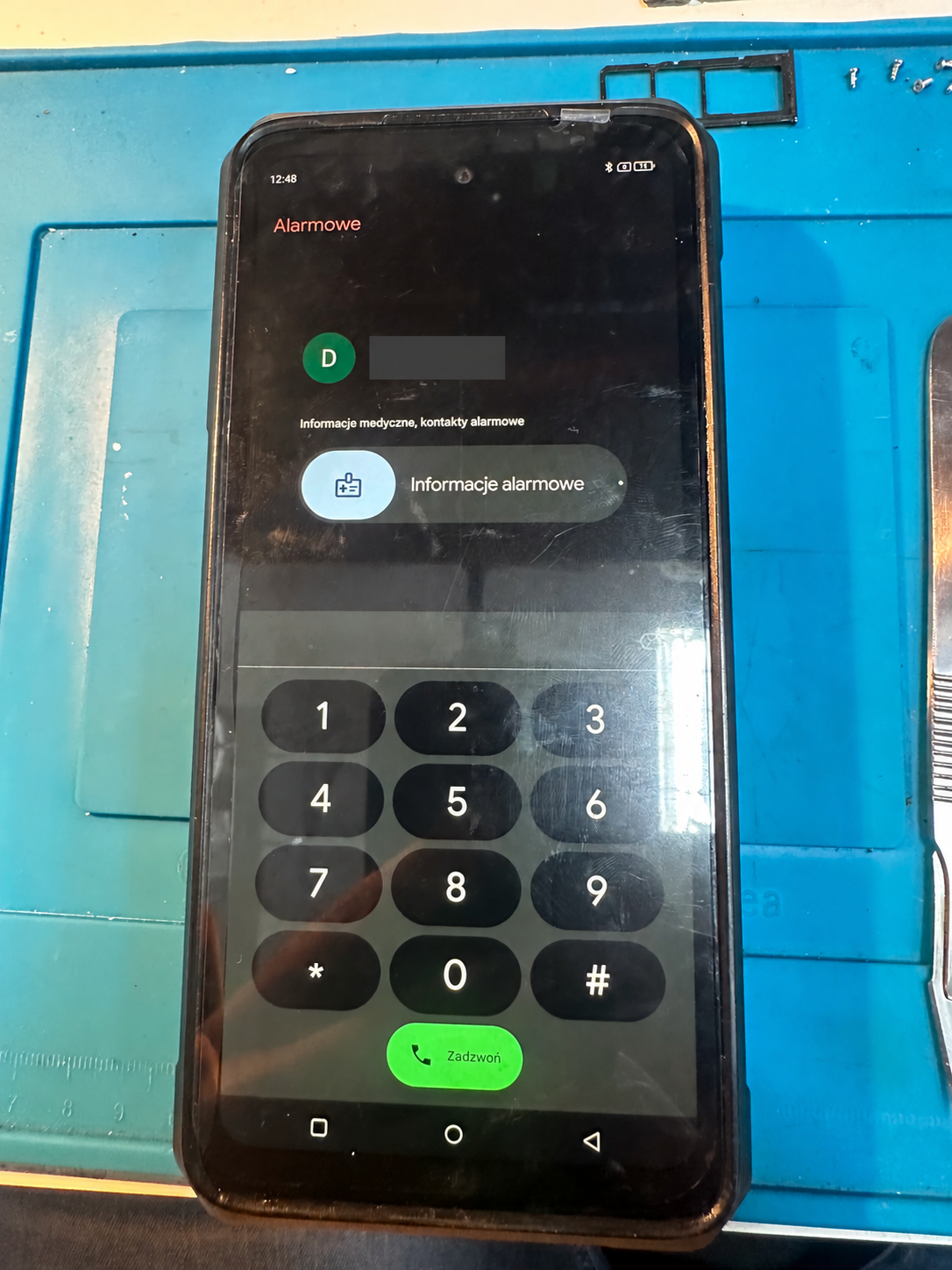
After opening the phone, disconnecting its power, removing the effects of the liquid and carrying out the necessary work, the device started again. A display and basic-function test confirmed the result of the repair.
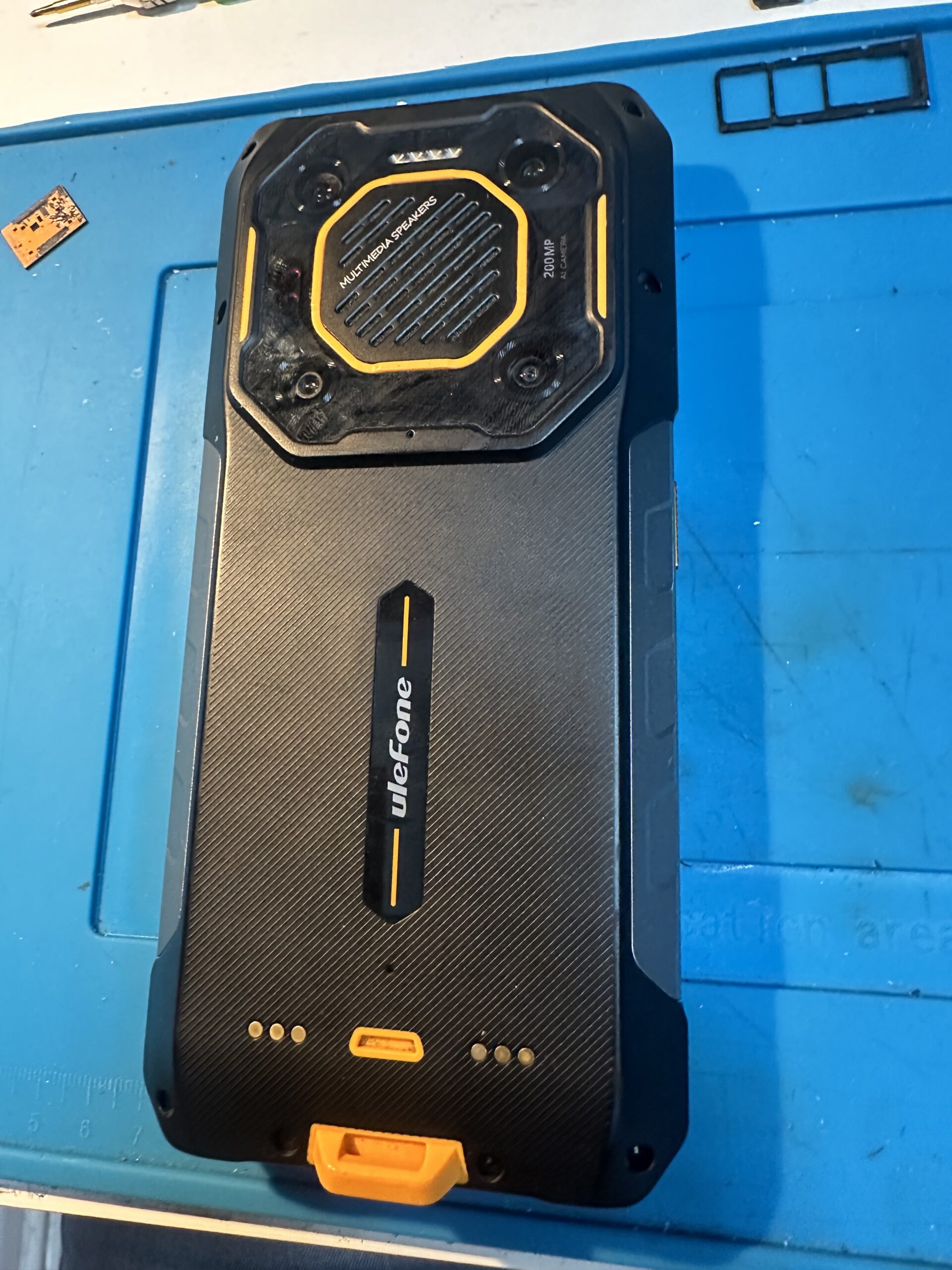
After a repair, do not automatically assume that the original factory water resistance has been restored. Without testing according to the appropriate procedure, the device should be treated as not waterproof and protected from further liquid exposure.
HOW TO PROTECT EVEN A “RUGGED” PHONE
Do not deliberately immerse it, check the condition of port covers, avoid steam and hot water, and assume that water resistance may have deteriorated after a drop or previous repair. A reinforced design improves the chance of surviving difficult conditions, but it never removes the risk completely.
Information on the declared resistance and its limits: official Ulefone Armor 26 Ultra page. MIL‑STD‑810H as a standard of test methods: official US Department of Defense document catalogue.